Five Business Processes You Can Automate Today With Document Data Extraction (and Why It Matters)

Manual data entry is one of the most expensive “invisible” workflows in business. It doesn’t just consume hours-it introduces errors, slows approvals, and keeps valuable information locked inside PDFs, scans, emails, and photos.
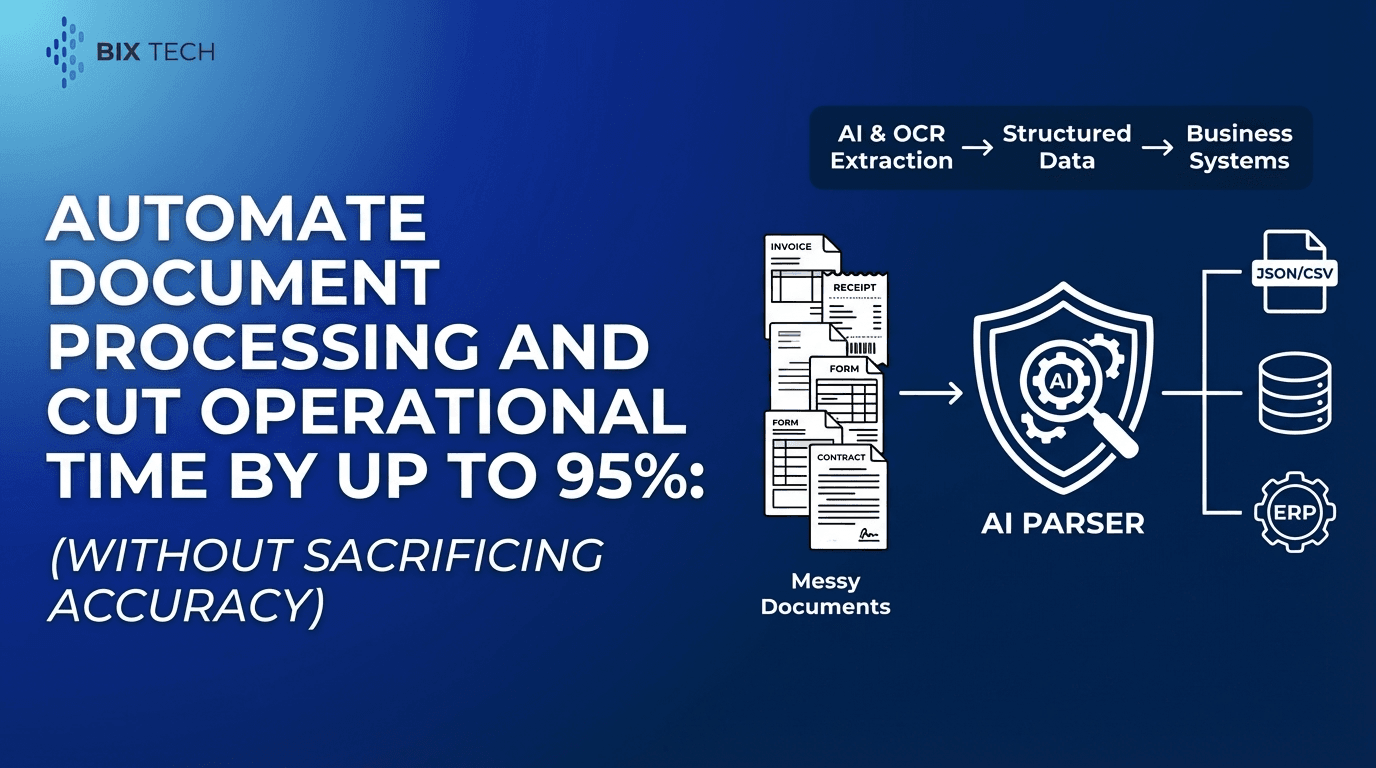
That’s exactly what document data extraction (often grouped under Intelligent Document Processing (IDP)) is built to solve: turning unstructured or semi-structured documents into structured, usable data-automatically.
This article breaks down five high-impact business processes you can automate today using AI-powered OCR and IDP, with practical examples, expected outcomes, and common pitfalls to avoid.
What Is Document Data Extraction (in Plain English)?
Document data extraction is the automated process of reading documents (like invoices, receipts, contracts, and IDs) and converting key information into structured fields-such as names, dates, totals, vendor details, line items, or contract clauses.
Modern solutions go far beyond basic OCR. They combine:
- OCR (Optical Character Recognition): Converts images/scans into machine-readable text
- AI + machine learning: Understands layouts and context (e.g., distinguishing “invoice date” vs. “due date”)
- Validation logic and workflows: Enforces rules and routes exceptions for review
- Integrations: Pushes extracted data into ERP, CRM, databases, and BI tools
Meet Parser: Intelligent Document Processing Built for Real Work
Parser is an intelligent document processing solution designed to automate the extraction of structured data from unstructured or semi-structured documents. By leveraging advanced AI and OCR, it eliminates the repetitive “read and type” task-reducing human error, improving data reliability, and accelerating throughput.
Key Features at a Glance
- Automated Data Extraction: Converts invoices, receipts, contracts, IDs, and more into actionable digital data
- AI-Powered Accuracy: Uses machine learning models to interpret layout and context across varied formats
- Customizable Workflows: Define the exact fields you need-based on your processes, not a generic template
- Integration Ready: Connects with ERPs, databases, and business intelligence tools to streamline pipelines
- Scalability: Handles high document volumes quickly-ideal for growth and seasonal spikes
Value Proposition
Parser transforms document-heavy operations into agile digital workflows. By automating repetitive administrative work, teams can focus on analysis, compliance, and customer outcomes-while lowering processing costs and improving consistency.
1) Accounts Payable (AP): Invoice Capture, Coding, and Approval
Why it’s ideal for automation: Invoices arrive in countless layouts-PDFs, scans, vendor portals, even photos-making them a classic bottleneck for finance teams.
What document data extraction automates in AP
- Vendor name, invoice number, invoice date, due date
- Subtotals, tax, shipping, and grand total
- PO number and cost center fields
- Line-item extraction (descriptions, quantities, unit price)
- Validation checks (e.g., totals match line sums; duplicate invoice detection)
Practical example
A finance team receives 500 invoices per week in different formats. With automated invoice data extraction:
- invoices are captured on arrival (email inbox, folder, upload)
- key fields are extracted automatically
- exceptions (missing PO, mismatched totals) are flagged for review
- clean invoices are routed into approval and posted to ERP
What improves immediately
- Faster cycle time from invoice receipt to approval
- Fewer overpayments and duplicates
- More accurate spend reporting and cash forecasting
SEO keywords naturally included: invoice data extraction, AP automation, automated invoice processing, OCR for invoices
2) Expense Management: Receipts and Reimbursements Without the Chasing
Expense workflows often fail not because employees are careless-but because the process is tedious. Receipts are lost, photos are blurry, and categories are inconsistent.
What gets extracted from receipts
- Merchant name and address
- Transaction date/time
- Total, tax, tip
- Payment method indicators
- Itemization (when needed for policy enforcement)
Where this becomes powerful
- Auto-matching receipts to card transactions
- Enforcing policy rules (spend limits, restricted vendors, missing VAT/GST details)
- Faster reimbursements with fewer back-and-forth emails
Common win
Even basic receipt OCR and extraction can remove most manual keying, while policy checks reduce compliance risks.
SEO keywords naturally included: receipt OCR, expense automation, receipt data extraction
3) Customer Onboarding and KYC: IDs, Proof of Address, and Forms
Whether you’re onboarding customers in finance, telecom, healthcare, or B2B services, identity verification and intake paperwork can slow everything down.
Documents commonly automated
- Government-issued IDs (passport, driver’s license, national ID cards)
- Proof of address documents (utility bills, bank statements)
- Business registration forms and certificates
- Signed onboarding forms and agreements
What Parser-style IDP extracts
- Full name, DOB, document number, expiration date
- Address fields (structured into street/city/postal code)
- Form responses and consent indicators
- Document classification (ID vs. bill vs. contract)
Why it matters
Automating onboarding document processing reduces friction while improving consistency. Teams spend less time re-keying and more time resolving exceptions and delivering a better customer experience.
SEO keywords naturally included: KYC automation, ID document extraction, onboarding document processing
4) Contract Operations: Clause Extraction, Key Dates, and Obligation Tracking
Contracts are packed with business-critical details-but those details are often trapped in PDFs stored across email threads, shared drives, and contract repositories.
What contract data extraction can capture
- Parties and legal entities
- Start date, end date, renewal terms, notice periods
- Payment terms, SLAs, penalties
- Key clauses (confidentiality, termination, liability limits)
- Obligations and deliverables
Real-world impact
When key dates are extracted and structured:
- renewals don’t surprise the business
- obligations are easier to track
- procurement and legal teams gain visibility across suppliers and risk categories
Important note
Contract extraction often benefits from a “human-in-the-loop” review for higher-risk documents-automation handles the heavy lifting, and reviewers focus only on what matters.
SEO keywords naturally included: contract data extraction, contract automation, clause extraction
5) Claims and Case Processing: Faster Decisions With Cleaner Data
Claims (insurance, healthcare, logistics, warranty, or customer disputes) involve multiple documents-often submitted in inconsistent formats under time pressure.
Typical claim document types
- Claim forms
- Invoices and receipts
- Photos or scanned evidence
- Medical or repair documents
- Proof of delivery or incident reports
What automation changes
- Incoming documents are classified (form vs. receipt vs. report)
- Key fields are extracted into a case record
- Missing information is detected early
- Cases move faster because adjusters and agents stop retyping the same data
Outcome
Better turnaround times and fewer errors-without forcing customers to “submit it again” because someone couldn’t read a scan.
SEO keywords naturally included: claims automation, document processing for claims, OCR data extraction
How to Get Reliable Results From AI + OCR Document Extraction
Automation succeeds when it’s treated like a workflow-not just a model.
1) Start with the fields that drive decisions
Prioritize fields tied to approvals, compliance, and reporting (totals, dates, IDs, PO numbers) before expanding into complex extraction like full itemization or clause libraries.
2) Build validation into the workflow
Examples of high-value rules:
- totals = subtotal + tax
- invoice date cannot be in the future
- ID expiration date must be valid
- required fields must not be empty
3) Design for exceptions
Even the best AI will encounter edge cases-blurry scans, unusual layouts, handwritten notes. A clean exception queue prevents automation from becoming a new bottleneck.
4) Integrate where the work already happens
The biggest ROI often comes when extracted data flows directly into:
- ERP/AP systems
- CRM and onboarding platforms
- data warehouses and BI dashboards
- case management tools
Parser’s integration-ready approach is designed for exactly this-connecting document intake to the systems teams already rely on.
FAQ: Document Data Extraction for Business Automation
What is intelligent document processing (IDP)?
Intelligent Document Processing (IDP) combines OCR with AI models to extract, classify, and validate information from documents-then routes the structured data into business systems and workflows.
What documents can be automated with OCR and AI extraction?
Common document types include invoices, receipts, contracts, IDs, forms, statements, and claims documents. Most organizations start with finance documents (invoices/receipts) and expand into onboarding, legal, and operations.
How accurate is AI-powered document extraction?
Accuracy depends on document quality, format variability, and the use of validation rules and exception handling. Modern IDP systems can achieve high precision on common document types, especially when workflows include automated checks and selective human review for outliers.
What’s the difference between OCR and document data extraction?
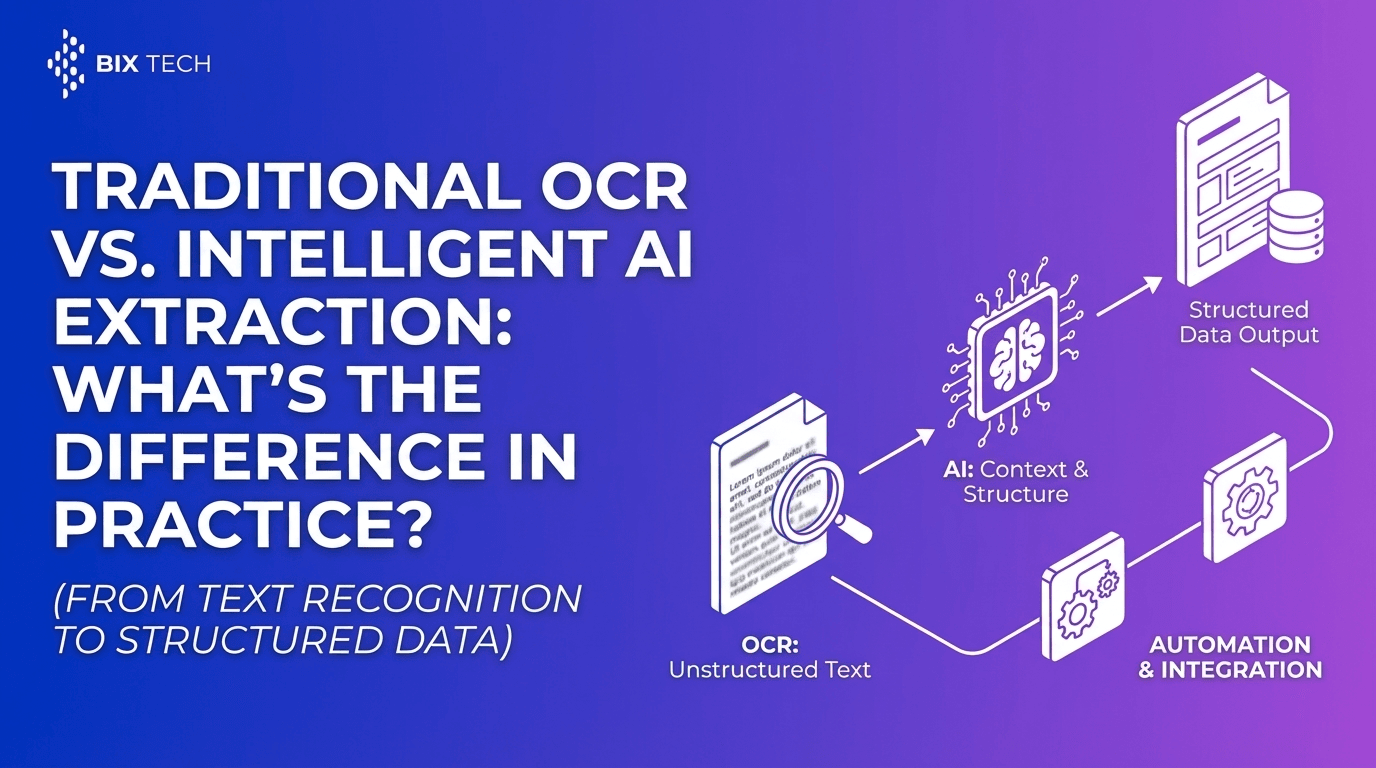
OCR turns images into text. Document data extraction goes further by identifying and structuring specific fields (e.g., invoice number, total amount, due date) and mapping them into databases or business applications.
For a deeper breakdown, see traditional OCR vs intelligent AI extraction.
The Bottom Line: Automate the “Read and Type” Work First
If a workflow begins with someone opening a document, searching for key fields, and typing them into a system, it’s a strong candidate for automation.
By using AI-powered OCR and intelligent document processing, Parser helps organizations convert document-heavy operations into scalable digital workflows-improving speed, reducing manual errors, and giving teams back time for higher-value work.
From AP automation and receipt OCR to KYC onboarding, contract extraction, and claims processing, document data extraction is one of the most practical automation moves businesses can make today.
Explore how to use Parser for document data extraction workflows and learn how Parser turns messy documents into clean, structured data automatically.