Traditional OCR vs. Intelligent AI Extraction: What’s the Difference in Practice?

Businesses everywhere are trying to move faster with fewer manual steps-especially when it comes to document-heavy workflows like invoices, receipts, contracts, IDs, and onboarding forms. The promise sounds simple: “Turn documents into data.” But in practice, the approach you choose matters a lot.
This is where the distinction becomes critical: traditional OCR (Optical Character Recognition) versus intelligent AI extraction (often referred to as Intelligent Document Processing, or IDP). Both can “read” documents, but they don’t deliver the same results-especially when document formats vary, fields move around, or context matters.
This article breaks down the real, practical differences, when each approach works best, and how modern document automation platforms like Parser make extraction more reliable, scalable, and integration-ready.
What Is Traditional OCR?
Traditional OCR is a technology designed to convert images of text into machine-readable text. For example, if you scan a printed invoice, OCR can identify the characters and output them as a text layer-so you can copy/paste or search.
What OCR is good at
- Converting clean, high-quality scans into readable text
- Handling consistent print fonts and straightforward layouts
- Supporting basic digitization (searchable PDFs, text retrieval)
The practical limitation
OCR answers the question:
“What characters are on this page?”
It usually does not reliably answer:
“What does this text mean, and which business field should it map to?”
That gap-between text recognition and data understanding-is where intelligent AI extraction comes in.
What Is Intelligent AI Extraction (Intelligent Document Processing)?
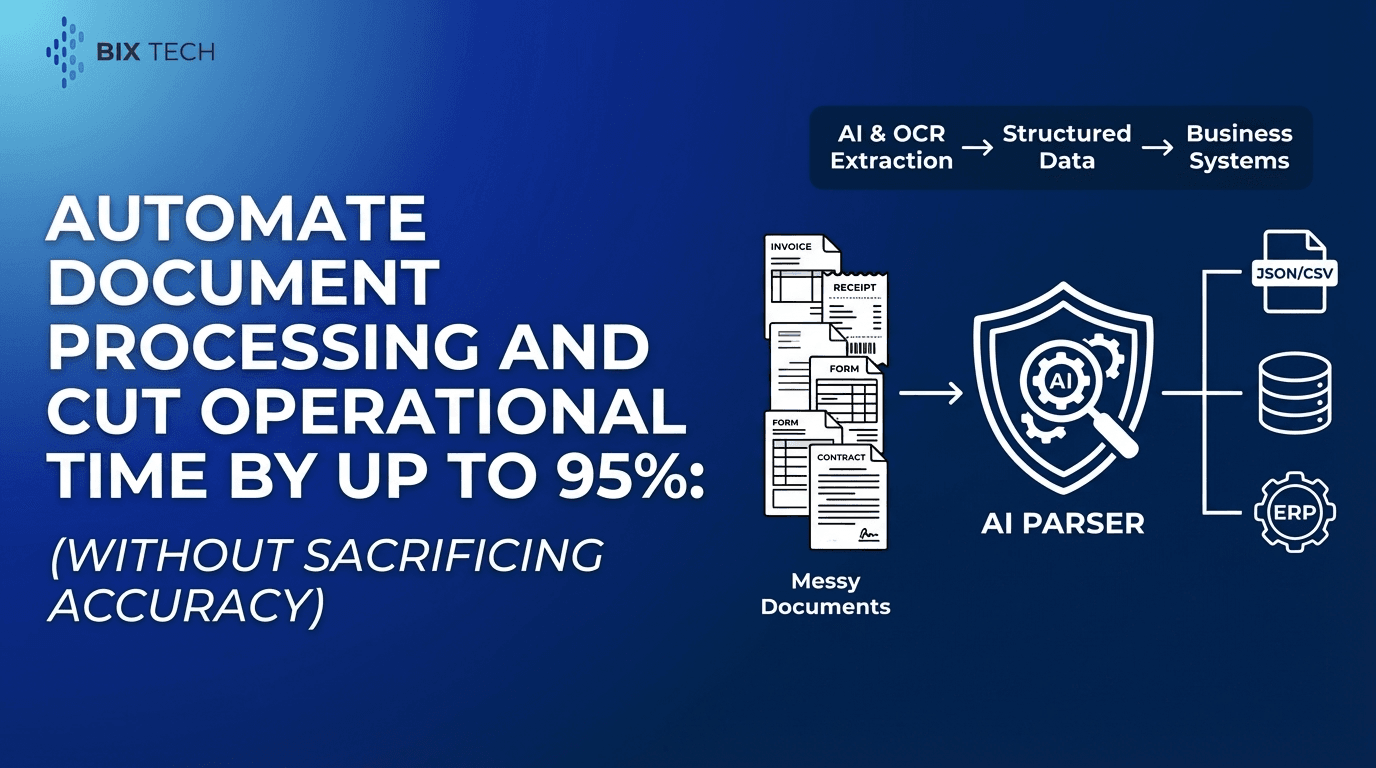
Intelligent AI extraction goes beyond reading characters. It combines OCR with AI models that interpret structure and context to extract structured fields (like invoice number, total amount, supplier name, contract dates, or ID details), even when documents have different layouts.
This category is often called Intelligent Document Processing (IDP) and typically includes:
- OCR for text recognition
- Machine learning for layout and field detection
- Natural language processing (NLP) for interpreting meaning
- Validation rules and confidence scoring
- Workflow orchestration and system integrations
In practical terms, AI extraction answers:
- “Which number is the invoice total vs. a line item amount?”
- “Where is the vendor address when it appears in different corners?”
- “Which date is the invoice date vs. payment due date?”
- “Which clause section contains the termination term in a contract?”
Traditional OCR vs. Intelligent AI Extraction: The Real-World Differences
1) Output: Text vs. Structured Data
Traditional OCR output
- Produces raw text (sometimes with coordinates)
- Often requires manual work to turn text into fields
Intelligent AI extraction output
- Produces structured, usable data (e.g., JSON or database-ready fields)
- Can map values directly into business systems
In practice: If your goal is automation, you typically need structured extraction, not just text conversion.
2) Handling Layout Variation
Traditional OCR struggles when:
- Suppliers use different invoice templates
- Receipts vary by store, country, or print quality
- Contracts differ by jurisdiction, formatting, and length
- IDs change by issuing authority or version
AI extraction is designed to handle:
- Multiple layouts and shifting field positions
- Semi-structured formats (tables, blocks, mixed sections)
- Documents that don’t follow a strict template
In practice: Template-based workflows are brittle. AI-driven extraction is more resilient when you deal with many formats.
3) Context Awareness and Field Meaning
OCR may accurately read these two lines:
- “Total: 1,240.00”
- “Subtotal: 1,240.00”
But it can’t reliably determine which one you need-or whether tax is included-without additional rules and logic.
AI extraction uses:
- Document context (labels, proximity, patterns)
- Layout relationships (tables, headers, totals sections)
- Learned examples (how similar documents usually present fields)
In practice: Context is the difference between “text capture” and “data extraction.”
4) Accuracy Over Time
Traditional OCR accuracy can be high in controlled scenarios, but automation accuracy often declines when:
- input quality changes (blur, skew, low DPI)
- document versions change
- new vendors or formats are introduced
Intelligent extraction can improve because:
- models can learn from corrections
- confidence scores can route low-confidence cases for review
- workflows can be tuned for specific fields (e.g., totals must match line sums)
In practice: AI extraction is better suited for continuous improvement and operational scale.
5) Cost and Operational Effort
With OCR-only solutions, the “hidden cost” is usually:
- building and maintaining templates
- writing rules for exceptions
- manual verification and corrections
- rework when formats change
With AI extraction, the operational focus shifts to:
- defining the fields you actually need
- setting validation rules
- integrating outputs into your systems
- monitoring exceptions rather than processing everything manually
In practice: The ROI often comes from reduced manual data entry, fewer errors, and faster cycle times.
Where Parser Fits: Intelligent Document Processing Built for Automation
Parser is an intelligent document processing solution that automates the extraction of structured data from unstructured or semi-structured documents. By leveraging advanced AI and OCR, Parser eliminates manual data entry, reduces human error, and increases operational efficiency.
Instead of simply “reading” text, Parser is designed to turn documents into actionable digital data that can move through your operations with minimal friction.
Key Features of Parser (Expanded)
Automated Data Extraction
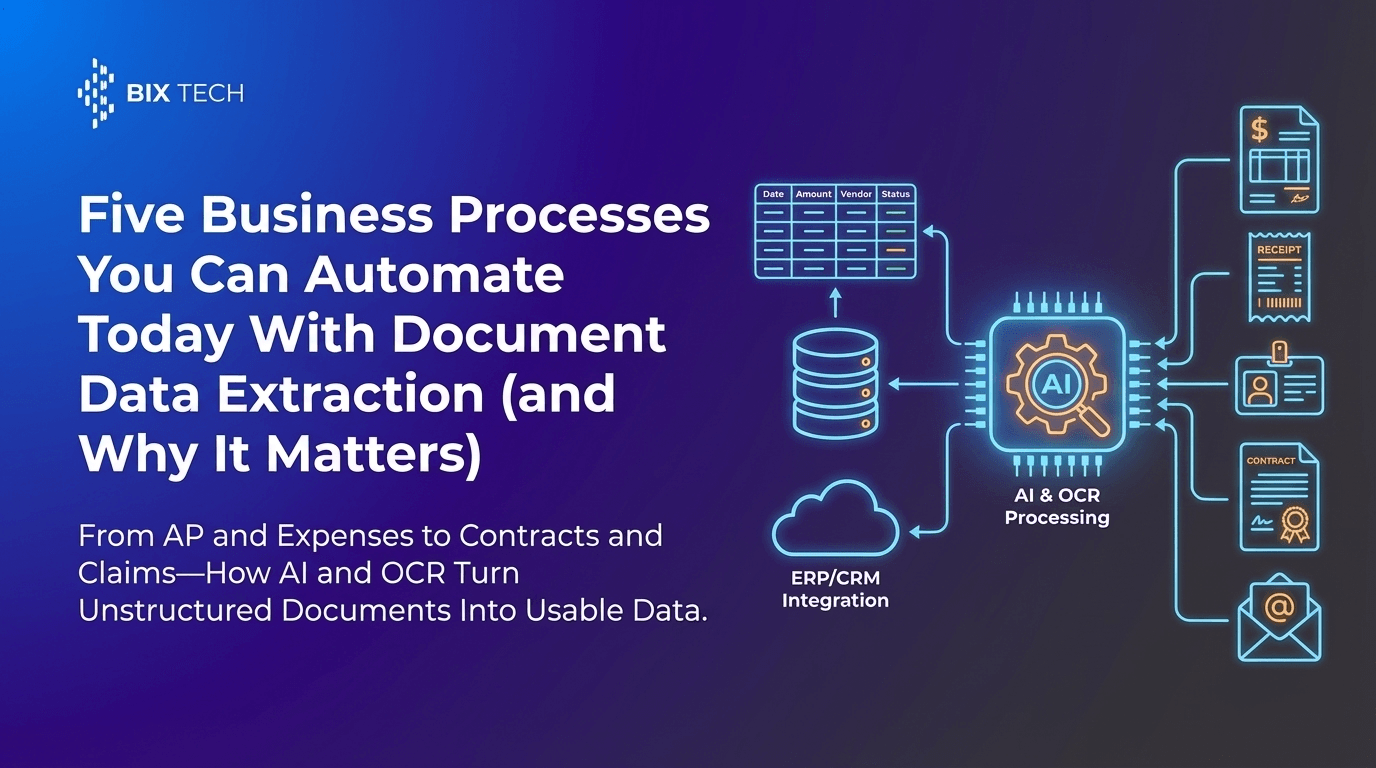
Parser can convert document types such as:
- invoices and purchase documents
- receipts and expense proofs
- contracts and agreements
- IDs and verification documents
The focus isn’t just digitization-it’s field-level extraction that can feed downstream processes.
AI-Powered Accuracy
Parser applies machine learning to understand:
- document layouts (where information appears)
- context (what a value represents)
- variations (multiple suppliers, formats, and languages)
This supports higher precision across diverse document styles-especially where template-only approaches break.
Customizable Workflows
Every business defines “important data” differently. Parser supports customization so teams can:
- choose the exact fields they want extracted
- tailor extraction to their document types
- align outputs with internal naming conventions and data schemas
Integration Ready
Parser is built to integrate with:
- ERP systems
- databases
- analytics and BI pipelines
- operational tools used by finance, procurement, HR, and legal teams
This enables a cleaner end-to-end workflow: document in → verified structured data out → business system updated.
Scalable Processing
As volumes grow, manual processes become a bottleneck. Parser is designed to process high volumes rapidly-supporting growing enterprises that need consistent throughput without scaling headcount at the same rate.
Use Cases: What “Difference in Practice” Looks Like
Accounts Payable (Invoices)
Traditional OCR approach:
- captures text from the invoice
- requires templates or manual mapping to extract invoice number, vendor, totals
- breaks when vendors change their layout
Intelligent AI extraction approach (with Parser):
- extracts key fields regardless of placement
- distinguishes totals, subtotals, taxes, and due dates
- outputs structured data ready for ERP posting and reconciliation
Expense Management (Receipts)
Receipts often include:
- unusual fonts
- curved paper scans
- faded thermal print
- inconsistent layouts
AI extraction improves the chance of capturing:
- merchant name
- transaction date
- total amount
- tax/VAT data (when applicable)
Contracts (Legal and Procurement)
Contracts are semi-structured at best-full of clauses, sections, and variations.
Intelligent extraction is especially valuable for:
- key dates (effective date, renewal date)
- termination terms
- governing law
- payment conditions and SLAs
Instead of manually reviewing every document, teams can auto-extract the “watchlist fields” and flag exceptions for review.
Identity Documents (Onboarding and Verification)
IDs can vary by:
- country/state
- version
- formatting conventions
AI extraction supports fast capture of:
- name
- ID number
- birth date
- issue/expiry dates
This helps streamline onboarding while reducing transcription errors.
Value Proposition: From “Read and Type” to Digital Workflows
Parser transforms document-heavy processes into agile digital workflows. By automating the repetitive “read and type” task, teams can spend more time on analysis, exception handling, and decision-making-while lowering processing costs and improving data reliability.
Practical outcomes often include:
- faster document turnaround times
- fewer manual errors and rework loops
- improved auditability through consistent extraction
- scalable operations without linear staffing increases
Traditional OCR vs. AI Extraction: Which Should You Choose?
Choose traditional OCR if:
- you only need searchable text or basic digitization
- your documents are extremely consistent (one template, clean scans)
- you’re not trying to automate downstream workflows
Choose intelligent AI extraction if:
- you need structured data extraction (not just text)
- you handle many document formats or vendors
- you want to integrate extracted fields into ERP/CRM/BI systems
- you need scalable automation with exception-based review
In most automation initiatives-especially in finance, operations, and compliance-structured extraction is the end goal, which makes intelligent AI extraction the more practical approach.
Featured Snippet FAQs (Clear Answers)
What is the main difference between OCR and intelligent AI extraction?
OCR converts images into readable text. Intelligent AI extraction converts documents into structured data by interpreting layout and context, not just characters.
Why does OCR struggle with invoices and receipts?
OCR can read the words and numbers, but it often can’t reliably determine which values map to fields like “Total,” “Tax,” or “Invoice Number” when layouts vary.
What is Intelligent Document Processing (IDP)?
IDP is a document automation approach that combines OCR with AI models to extract structured fields, validate results, and integrate data into business workflows.
How does Parser help compared to basic OCR tools?
Parser uses AI plus OCR to extract specific fields from diverse document types, supports customizable workflows, integrates with business systems, and scales to high document volumes. For a deeper look at document automation trends, see OCR extraction in 2026 and how to automate document processing.
Final Takeaway
Traditional OCR is a useful foundation for digitization, but it’s rarely enough for modern automation. Intelligent AI extraction turns documents into reliable, structured data that can flow directly into operational systems-reducing manual entry, improving accuracy, and supporting scale.
For teams aiming to modernize document-heavy processes, solutions like Parser represent the shift from simply reading documents to truly understanding and operationalizing them. If you want to see how structured outputs can improve downstream systems, explore why layout-aware parsing improves high-precision RAG.